Unlocking the Power of Eagle CAD: A Comprehensive Guide
In today’s fast-paced world of electronics design, having the right tools is essential for achieving efficiency and precision. One such tool that has been a favourite among hobbyists and professionals alike is Eagle CAD. This versatile software, developed by Autodesk, simplifies the process of designing printed circuit boards (PCBs) and offers a range of features that cater to both beginners and experienced designers. In this blog, we will explore the key aspects of Eagle CAD, its capabilities, and why it might be the right choice for your next electronics project.
What is Eagle CAD?
Eagle CAD (Equivalent & Graphical Layout Editor) is a PCB design software that enables users to create electronic schematics and layouts for PCBs. With its user-friendly interface and robust features, Eagle CAD has become a go-to choice for DIY electronics enthusiasts, engineering students, and professionals in the industry.
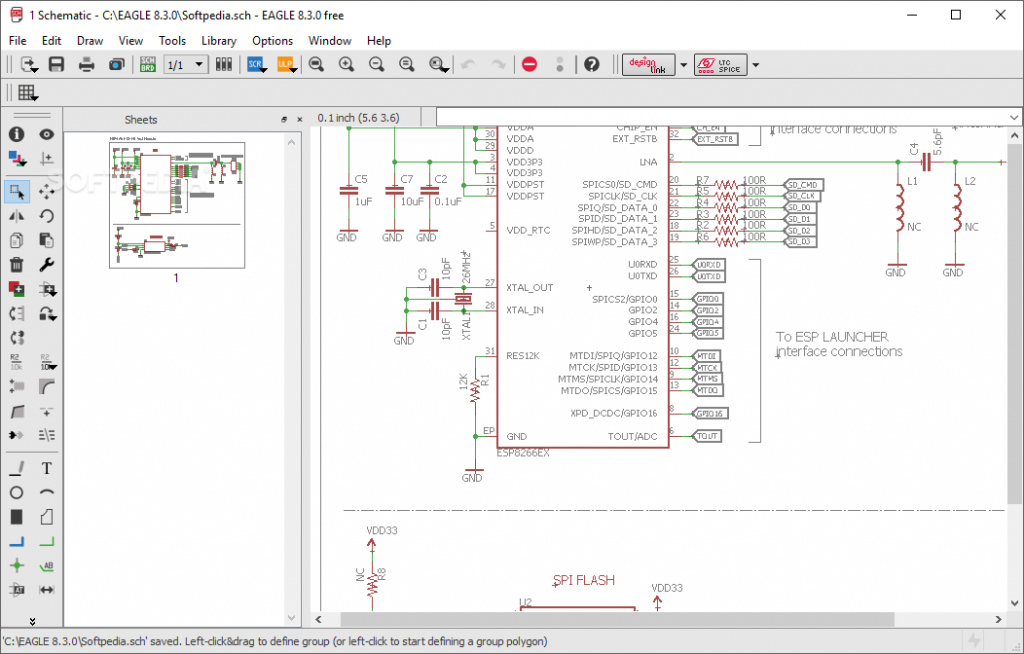
EAGLE Editor
Key Features of Eagle CAD
1. Schematic Design
Eagle CAD provides an intuitive schematic editor that allows users to create detailed electronic schematics. With an extensive library of components, users can easily drag and drop parts into their design, making the schematic creation process quick and straightforward.
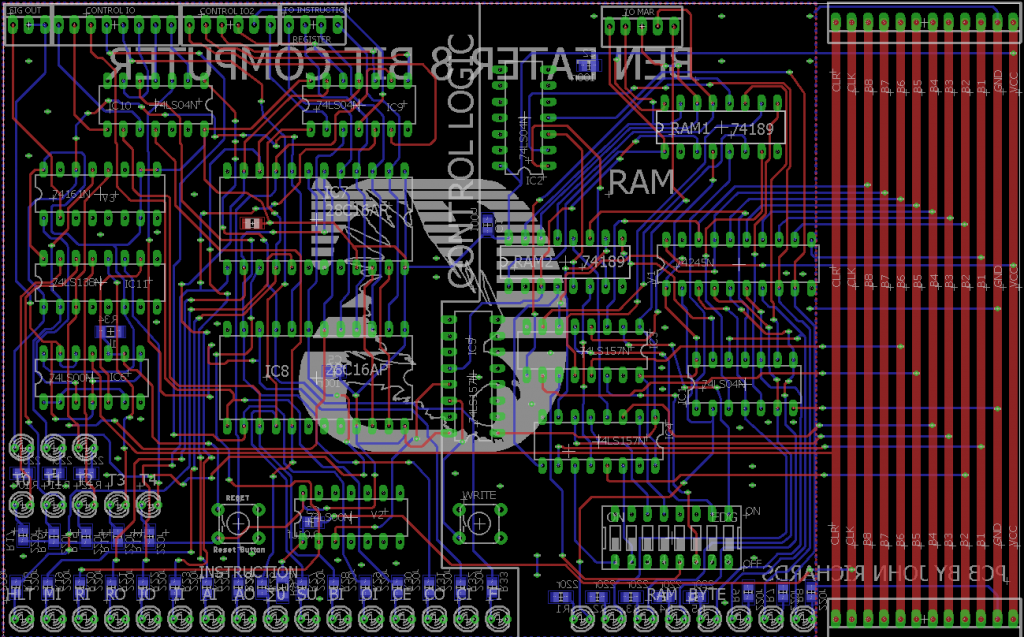
2. PCB Layout Editor
The layout editor in Eagle CAD enables designers to translate their schematics into physical board layouts. The software provides features such as auto-router, which automatically connects traces based on design rules, and manual routing capabilities for more complex designs.
8 Bit Computer Project
3. Component Libraries
One of Eagle CAD’s significant advantages is its vast component library. Users can access a wide range of predefined parts, making it easier to find specific components for any project. Moreover, if a required part is unavailable, users have the option to create custom libraries.
4. Rule Check
Eagle CAD includes a design rule checker (DRC) that ensures your design adheres to specific constraints and manufacturing guidelines. This feature analyses the layout for potential errors and provides feedback, helping designers to rectify issues before sending their designs for production.
5. Cross-Platform Compatibility
Eagle CAD is compatible with both Windows and macOS, allowing designers to work seamlessly across different operating systems. This cross-platform availability ensures that you can always access your projects regardless of the device you are using.
Why Choose Eagle CAD?
Affordability
Eagle CAD offers a free version for hobbyists and students, making it accessible to anyone eager to dive into PCB design. Even the paid versions are competitively priced compared to other professional software in the market.
Community Support
Eagle CAD has a robust and active community. Users can find countless tutorials, forums, and resources online that can help troubleshoot issues and provide tips on enhancing design efficiency. The community aspect also encourages knowledge sharing, making it easier for beginners to learn the ropes.
Integration with Other Tools
Eagle CAD integrates well with other software tools, such as Fusion 360, allowing for seamless design workflow between 2D and 3D modeling. This capability is particularly valuable for projects that require both PCB design and enclosure modeling.
Conclusion:
Eagle CAD stands out as a powerful tool for anyone involved in electronics design. Its combination of user-friendly interfaces, comprehensive libraries, and essential features makes it suitable for both novices and seasoned engineers. Whether you’re designing a simple circuit or developing complex PCBs for advanced applications, Eagle CAD can help streamline your workflow and enhance your productivity. If you’re interested in incorporating Eagle CAD into your design process, download it today and explore the endless possibilities it offers for PCB design.